
How to Order Groceries with Bento
A Step-by-Step Guide
Welcome to Bento! We’re glad you’re here. Now that you’ve been invited to participate in our personalized nutrition program, you can order your weekly groceries in 3 easy steps.
Order Online
-

1. Sign In
Once you’re approved, we’ll text you a link to our ordering page, where you can begin placing your orders every 7 days.
We’ll send you a One Time Passcode before you can log in.
-

2. Select Your Groceries
Select your groceries from the list of options available. Your options are specially tailored to your nutritional needs by Registered Dietitians.
You can click on each option to see exactly what will be included in the order.
If you have a special dietary restriction (vegan, gluten free, dairy free, etc.), you can update your preferences at this time.
-
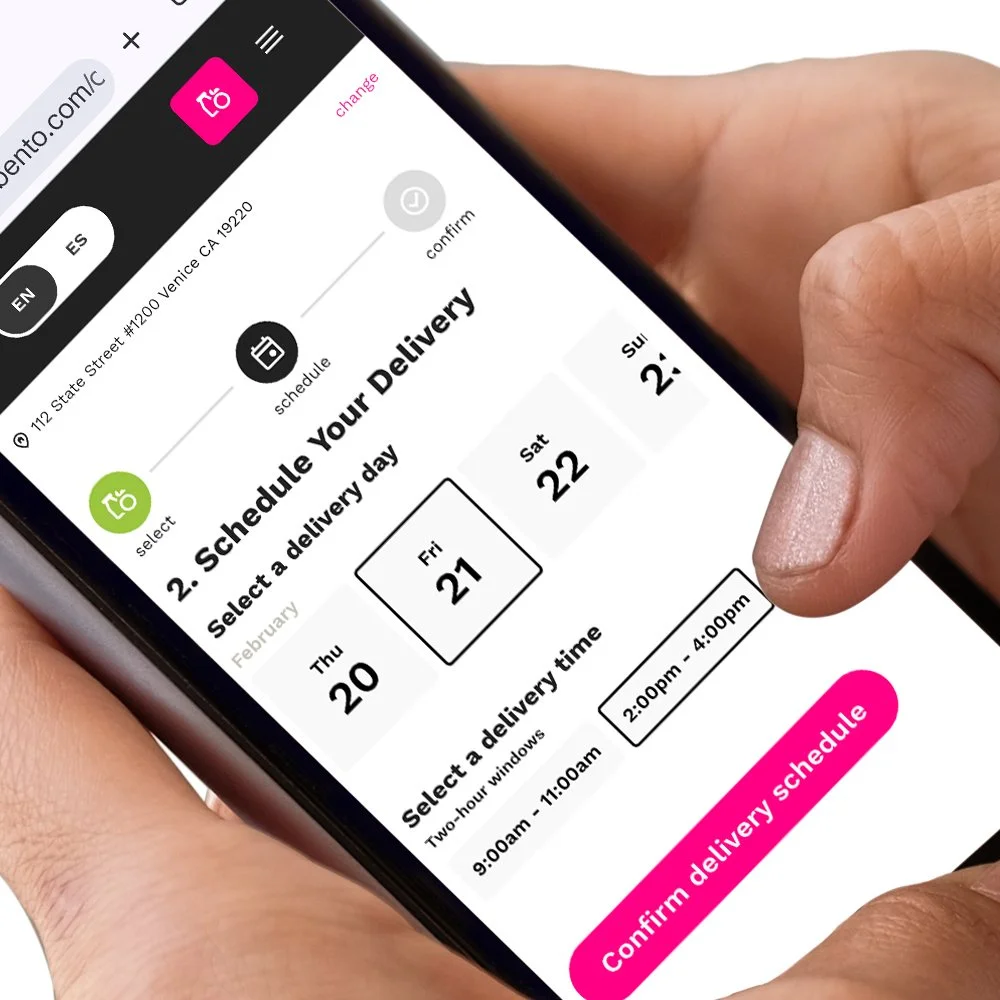
3. Select Your Delivery Schedule
Select a day and a 2-hour delivery window from the slots available.
You’ll see a summary of your order. If everything looks correct, including your delivery address, hit submit. We’ll text you with order updates.
You can always check the status of your upcoming orders on your dashboard on our ordering site. And if you have any questions about ordering, your account or anything else, you can contact our support team at support@gobento.com or 800-936-3022.